Bigger and bolder
Make one number larger and the others start to look like footnotes. Next quarter a different number matters most, and the slide needs redesigning again.

To make a key number land in PowerPoint, give it a moment of its own: dim everything else, say why it matters, then bring the whole slide back. A bigger font or a brighter colour adds to the clutter instead of removing it. SparkSpotlight does this in slide show: click the number, the rest of the slide dims, the number stays bright, and a card says why it matters.
Keep the whole KPI slide on screen, and give each number its own moment.
A KPI slide works because the numbers sit side by side. Revenue means more next to churn, and active users help explain both. The trouble starts when three or four of them compete: the room reads them all at once and remembers none.
SparkSlides built SparkSpotlight for this. It is a click-to-open spotlight effect in PowerPoint that puts one number in focus while the rest of the slide waits.
Launching soon
See how it works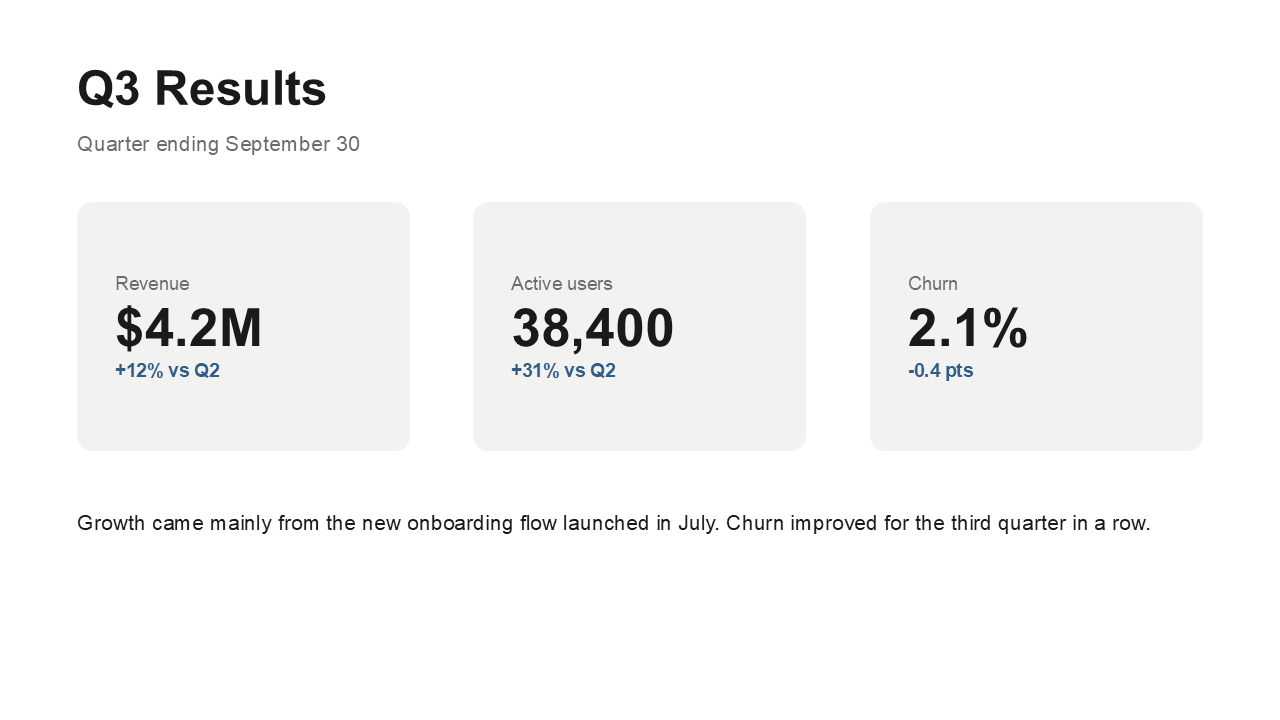
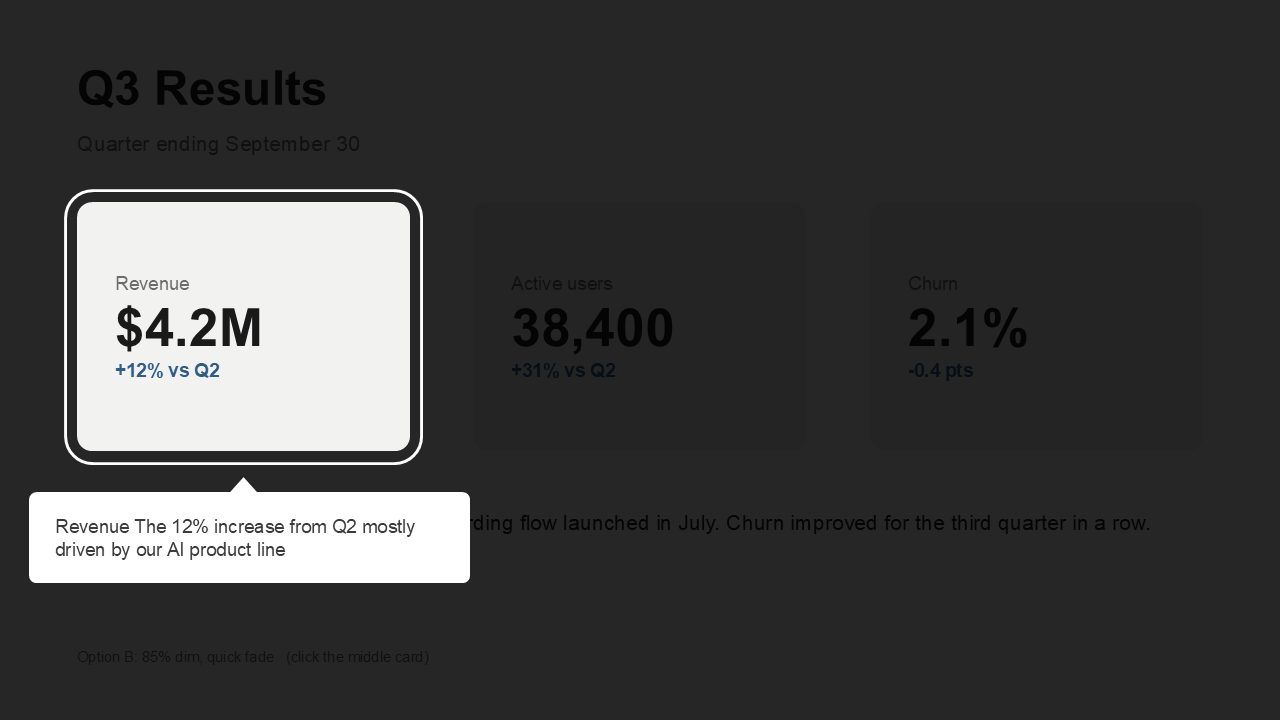
This is a Q3 results slide with three cards: Revenue, Active users and Churn. On the left is your slide, unchanged. On the right, the spotlights open one at a time in slide show. The numbers are invented for the demo.
Make one number larger and the others start to look like footnotes. Next quarter a different number matters most, and the slide needs redesigning again.
An emphasis effect pulls the eye to one element for a moment. It does not dim the others, so the slide goes straight back to competing numbers.
Give each number its own slide and the room loses the comparison that made the KPI slide worth building. Revenue without churn beside it is only a figure.
01
Click the box that holds the number and its label. Give each number one box of its own, a shape or a text box, because a spotlight lights a whole element and one element carries one spotlight.
02
Type a short title (up to 60 characters) and a key point (up to 240). Write the reason, not the figure: the slide already shows the figure. Choose where the card sits, or leave it on Auto.
03
Repeat for the other numbers. In slide show, click a number to dim the slide and open its card, then click anywhere to close it and return to the whole slide.
Wherever several numbers share a slide and each one deserves a sentence of its own.
Revenue, margin and churn sit on one slide. Open each in turn, say what changed since last quarter, and let the full slide return before the next number.
Show growth, runway and retention together, so investors see the trade-offs, and give each metric a sentence on what drives it.
Put quota, pipeline and win rate on one slide, and use each card to say what the team can do about that number.
A dense one-page summary can stay dense. The presenter leads the room through it one number at a time.
Whole elements. A spotlight lights one whole element: a box, a shape, a picture, a table, a chart or a text box. To stress one point on a chart, draw a small shape over it and spotlight the shape; the chart stays dimmed. Highlighting an area is planned, with no date.
Spotlight the numbers you would comment on. If a number needs no comment, leave it as part of the slide. It is dimmed while another number is open and back in full view the moment you close the card, so the comparison is never lost.
Click to open. Spotlights open with a mouse click, or a tap on a touchscreen. A clicker's Next button continues the deck and does not open a spotlight.
Microsoft 365 to add, any PowerPoint to present. Adding spotlights needs Microsoft 365 PowerPoint on Windows (version 2601 or later) or Mac (16.105 or later). Presenting works in any PowerPoint on Windows or Mac, with no add-in.
Your slide stays as it is. SparkSpotlight adds hidden spotlight slides right after your slide and links the element to them. Your notes, comments and animations stay as they were.
On Teams or Zoom. Run the slide show in desktop PowerPoint and share your screen or window.
Version 1 spotlights whole elements. To stress one point on a chart, draw a small shape over it and spotlight the shape. The chart stays dimmed. Highlighting an area is planned, with no date.
Yes. Each element gets one spotlight, and a slide can have as many elements as you need.
No. Anyone can present or view the deck in PowerPoint on Windows or Mac.
Edit the slide as usual, then click Rebuild this slide so the spotlights show the new version.
No. A clicker's Next button continues the deck. Open a spotlight with a mouse click or a tap.
SparkSpotlight is a one-time purchase, with no subscription. The price is announced at launch.
Launching soon
See how it worksMore on spotlighting a slide, and the ways to do it by hand.